Showing posts with label N Series. Show all posts

Monday, 22 October 2012

// // Leave a Comment

How to Download Nokia Apps on your Computer

All we are trying to get the application on your computer or safe place because in future you don't want to download again in Ovi store or without internet facility we can to use these application. But Nokia Ovi store don't give you permission to download apps on computer and the option (Download via PC) always show hide. 
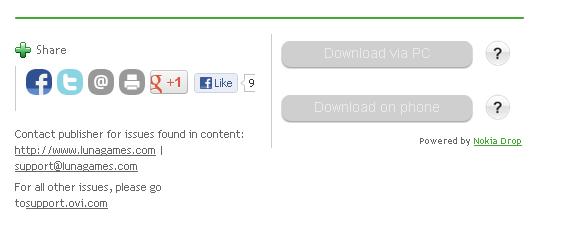
Then process of very simple to download application on your computer without using any software, for download the apps you have to registered on Ovi store, after that follow mention below instruction. 

  • Login in with your Ovi store 
  • Set you mobile in which one you are using 

  • Select or search the application.
  • After that open the application on new tab.
  • Go to the Application URL and edit the URL, After application Number add the /download and press Enter 

  • On your screen you will get the Application pop-up

  • Now Click Ok and save the file where you want to save.
Read More

Wednesday, 17 October 2012

// // 1 comment

Reset your Nokia mobile on Factory Setting


Some time your mobile hang while opening any content, your work is safer you won't check your important mail and information, and the reason of suffering you mobile  slow performance. And you gone to mobile shop and reconfigure your mobile. So friends today we will discuses how to solve these type of  error without pay any fess.


1) Why your mobile is Slow......?


Reason: Today all mobile user like browsing in mobile they are using different type of application & site to chat, mail, etc. but they are not using any "Antivirus" and "Firewall" and the after some time virus will effect the mobile and mobile performance will solve. Mostly mobile performance slow because they infected to Virus.

Solution :
  • Install the antivirus in your mobile handset and regularly update that one. i give you some best performance antivirus for Nokia Mobiles. 
  • Mobile Antivirus : Kaspersky Mobile Security, McAfee VirusScan , NetQin Antivirus    more...
  • Use safety caution in handset User Guide Book .
  • While Removing you memory card don't forget to "Switch off" your mobile.
  • If you install new song and picture etc.. through computer be sure your computer not infected with virus otherwise it will effected you mobile also.If after installing the antivirus application still your mobile working slow then using these tips.......................... 

Factory settings

This is possible to reset your Nokia to factory settings (Note that you will lose all your data). For this look in the manual of your phone. 


Soft Reset


Soft Reset will clear pending errors and bring your mobile to an initial state by restoring Factory setting. To operate this function on your mobile, the shortcut is: *#7380#. This function apparently works on almost all Nokia mobile phones.


Hard Reset

It may happen that despite you have restored your mobile to factory setting, the error still exist. In this case, it is recommended that you opt for Hard reset
  • Enter the code: *#7370# and press Yes to confirm initialization.
    • Important Notice: It is recommended that you save all important information on your phone (e.g: memo, contacts etc)
  • To make a Hard Reset on a Nokia phone that is not willing to turn on, just press simultaneously these 3 buttons:
  • on/off + * + 3
    • Before making a Hard reset better backup all your important information: contacts, memo...etc   
    • After using the factory setting, Soft Reset and Hard Reset install the Antivirus in your mobile.
    • For more help see the related video of hard & soft resetting of Nokia phone......(Coming Soon)
If you have any problem to resetting you mobile fell free contact me.
Read More
// // 1 comment

How to Root (Hack) your Symbian Smart Phone to remove certificate errors

Now you can hack your Symbian Smart Phone to remove certificate errors and enable installation of unsigned applications or games without  & key via Norton Symbian Hack.


  • Download package Hacked belle official in below.. and copy all files to phone memory or memory card.
  • Find and install “NortonSymbianHackLDD.sis”. (Copied in step 1)
  • After Installed, Launch it.
  • press Options -> select Anti-Virus -> select Quarantine list
  • Then select options -> restore (or restore all ). Then click yes.
  • After completing step 5, If you don’t use it (Norton), you can delete it from App manager
  • Find and install “RomPatcherPlus_3.1_LiteVersion.sisx” (Copied in step 1)
  • Launch ROMPatcher.
  • After launch it, you apply the second patch (click the blue circle)

        - Open4all.rmp
        - Installserver.rmp
  • as one by the press Options -> Add to auto
  • Find & Install xplore (copied in step 1)
  • Launch xplore. Press Menu -> tools -> Choose 2 line: show systems file and show hiden file.
  • Then find installserver.exe (copied in step 1). Use xplore copy paste it to c/sys/bin.
  • Restart the phone
Hacked-bella-office
Hacked belle official alter download Mirror  Download Link
Read More
// // 3 comments

[Solved] Certificate Expired Error on Symbian Phone

If you use an Symbian S60 3rd edition based mobile phone (Nokia N-Series phones like N73, N95, N80, N91, N80 and E-Series phones use Symbian S60v3 as OS) you must have encountered the very common certificate errors like 'Certificate Expired' or 'Certificate Error. Contact Application Supplier' while installing themes or softwares on your phone.
The errors are caused because of the security measures introduced into the new version of Symbian Series 60 mobile operating system disallowing installation of old applications and invalid certificates, however bypassing this security feature and fixing these certificate errors to install themes and softwares is very easy, simply follow the instructions below:
  • Open you mobile main Menu.

  • Navigate to Settings -> General -> Date and time and Now change the year back one year.

  • Now install the application.(Don't forget to change date back to original)
  • If the above does not solve the problem Goto the Application Manager.

  • Click the Options  and select the Settings 

  • And set "Online Certificate check" = Off and Software Installation = All.


UPDATE: If you own an older phone you might receive the following error: "Installation security error. Unable to install" 

To solve this error and install application/Theme navigate to Tools -> Options -> Setting -> Software Installation and change setting to On.
Read More